Guide created by @seysores.
Quality
1. Editing & rendering
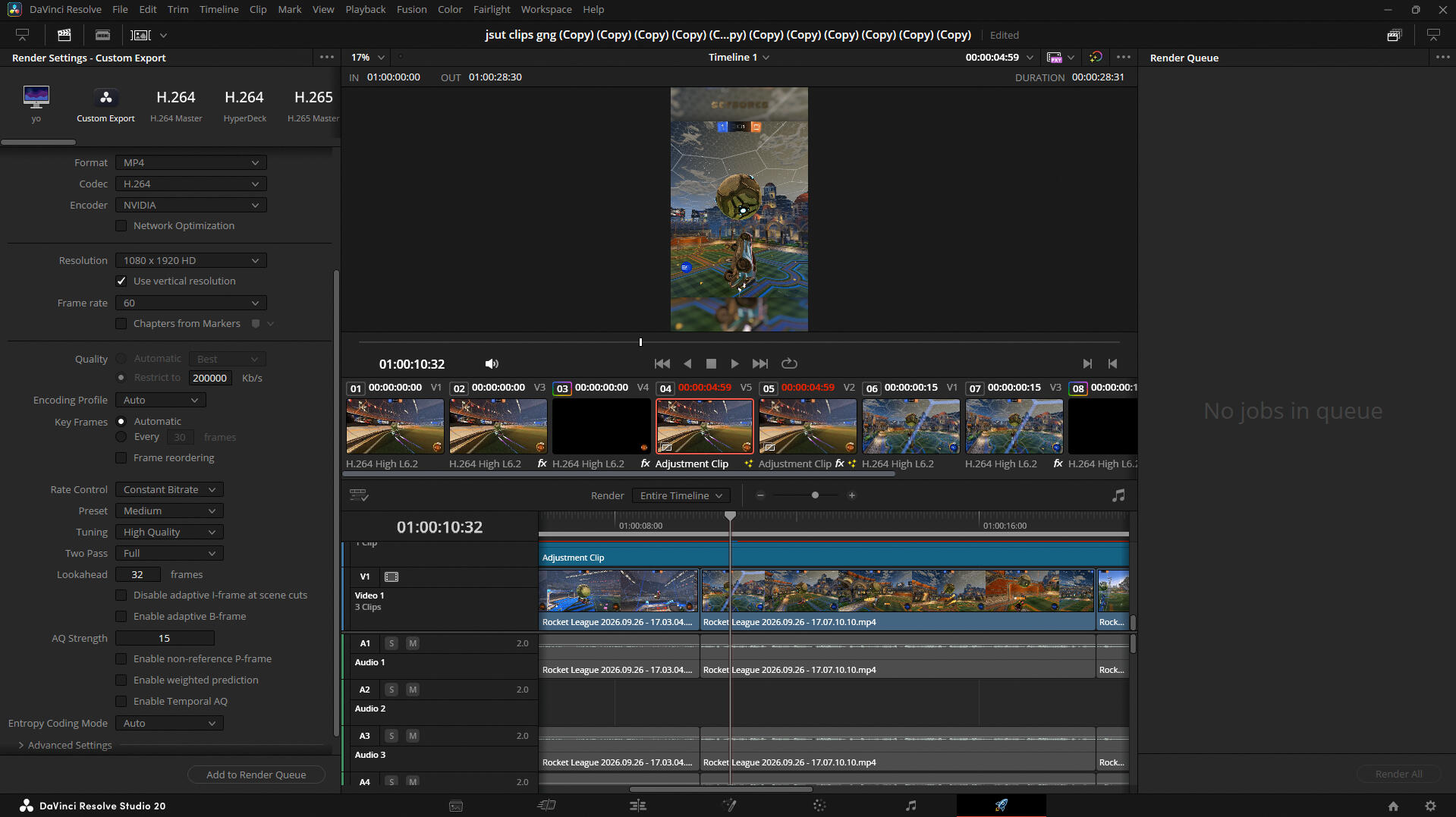
Davinci resolve OR studio is where the actual video editing is done.I use it to:
cutting and arranging clips
effects and transitions
audio
final editing
2. Motion blur
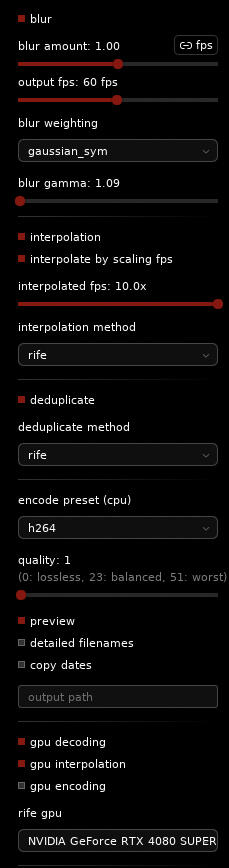
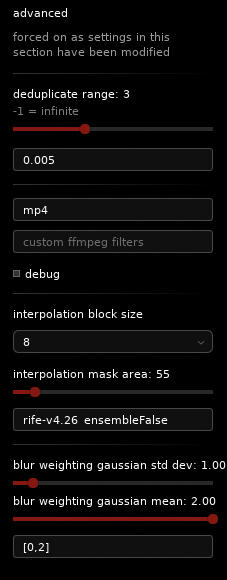
After rendering from davinci, put the video through teknos blur.this is used to add proper motion blur to the footage, which can make fast movements look much smoother, especially for gameplay edits.
3. Upscale & Bitrate
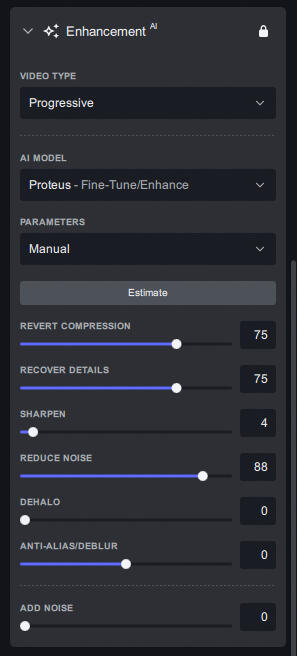
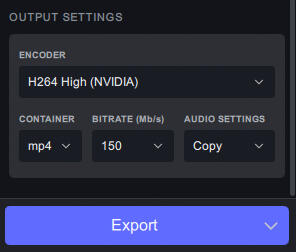
the goal isn't necessarily to make the video look artificially sharp. you're basically giving tiktok a much higher-quality source to work with before the final conversion.
4. 120 FPS
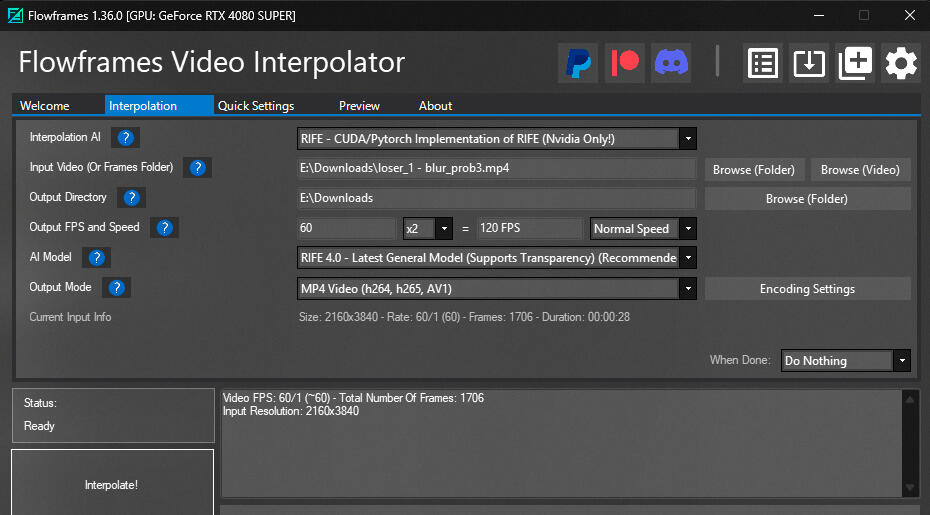
After Topaz, put the video into Flowframes.Flowframes uses frame interpolation to generate additional frames, allowing the video to reach 120 fps.
This is especially useful for smooth gameplay/movement where you want the extra frames to actually be noticeable.Export the finished 120fps version.
5. 1080p conversion
After flowframes, use Handbrake.Convert the video back down to 1080p, while keeping the bitrate very high.
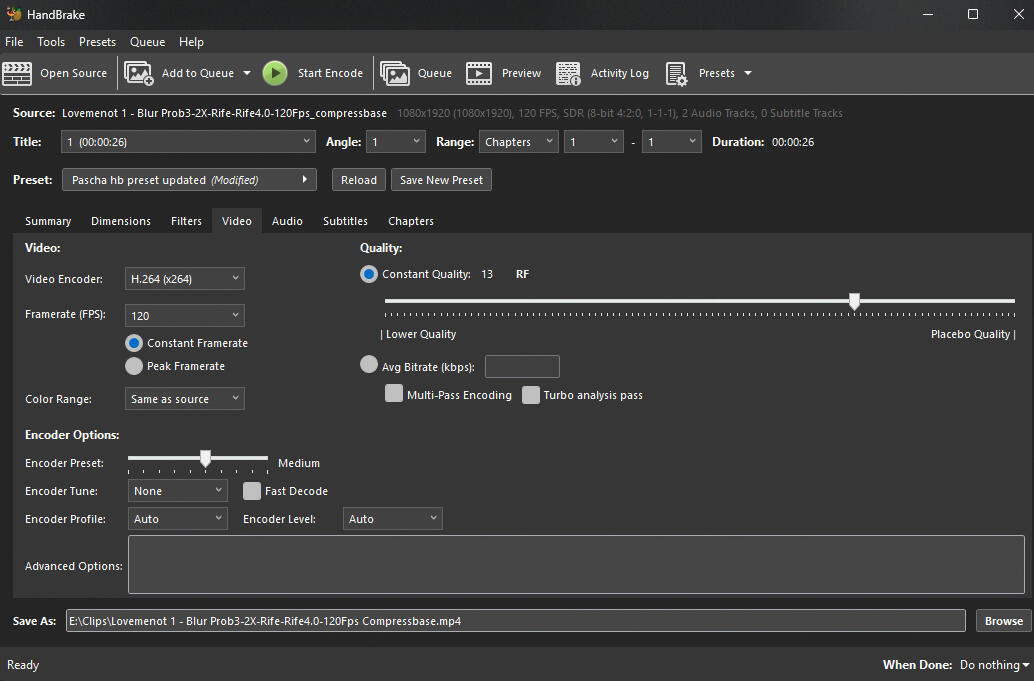
The point of doing this after all the previous processing is to end up with a 1080p file that still contains a lot more visual information than a heavily compressed export.keep an eye on the final file size because the next part has a file-size limit of 300 MB.
6. Tiktok upload method
Finally, use the Compressbase quality method for tiktok.https://compressbase.com/upload-methodThe idea behind this method is to prepare the video so tiktok can accept:1080p
120 fps
very high bitrate
minimal/no additional compression
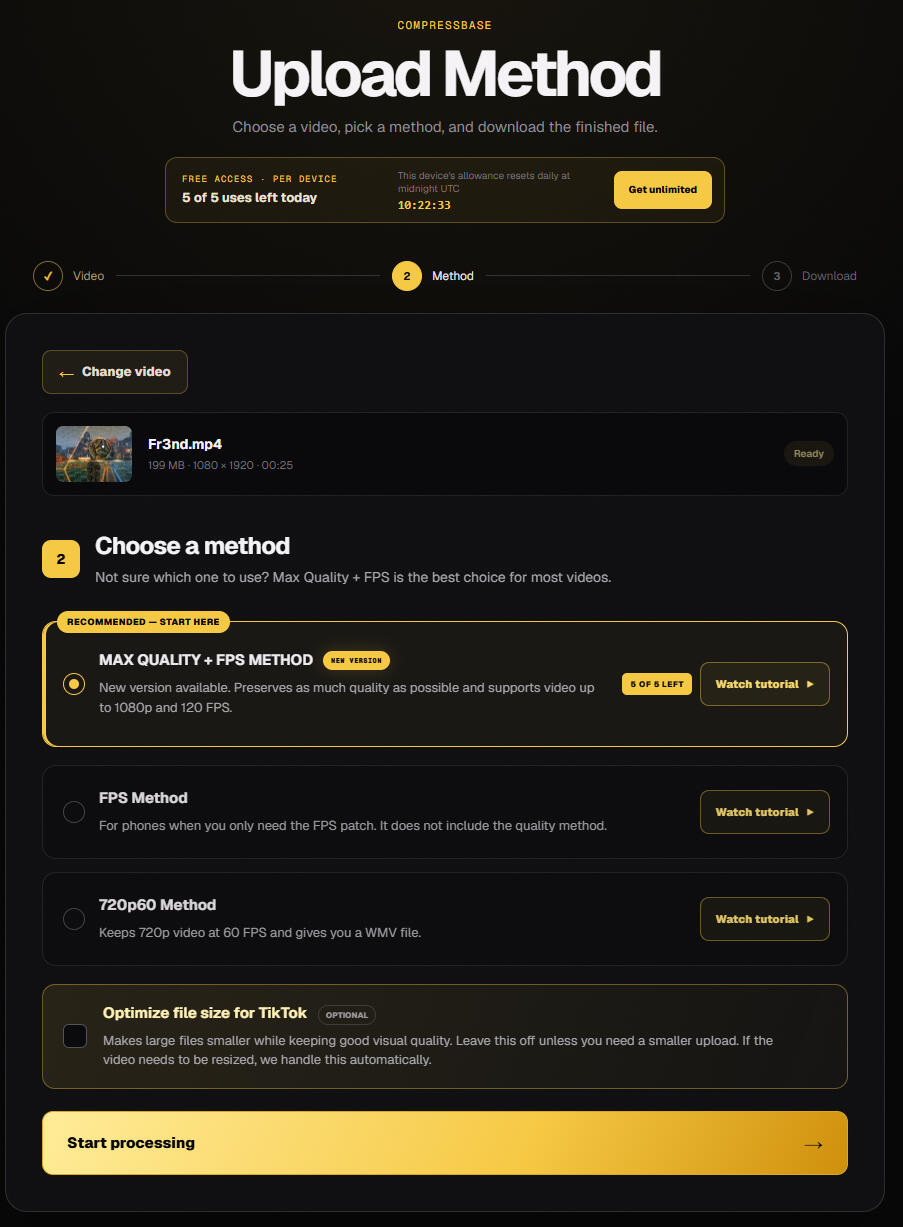
the important limitation is the 300 mb file-size limit. as long as the video stays below that limit, you can keep the bitrate extremely high.The final result should be a 1080p 120fps video with a very high bitrate, giving tiktok as much quality as possible to work with.
Full workflow
Davinci resolve
→ edit + renderTeknos blur
→ add motion blurTopaz video ai
→ upscale + increase source quality/bitrateFlowframes
→ interpolate to 120fpsHandbrake
→ convert to 1080p while keeping bitrate highCompressbase
→ prepare the final file for tiktok→ upload to tiktok